To record a bedtime story for your child, put your phone a hand’s length from your mouth in a quiet room, read the story one scene at a time, and let your child say a few short lines of their own. Recording in small pieces means one stumble never costs you the whole story.
Below: a checklist for setting up, three ways to record, and how to give your child a part. The examples come from retellings of classic tales for children of about 3 to 6, but the steps work for any picture book.
What you need before you press record
A story you’ve read through once, a quiet room and your phone. Then run down this list.
Three ways to record: voice memo, video, or a story app
All three work. Choose by what you want afterwards.
| Way | Fix a slip | Your child’s lines | Best for |
|---|---|---|---|
| Voice memo | Say the sentence again and trim by ear | Inside one long track | A quick recording of you reading |
| Video | Say the sentence again, or shoot the clip over | Inside one long clip | Keeping faces and the room, not only voices |
| A story app with parts | Record just that part again | Each one recorded on its own | Giving your child a part to play |
If you only want tonight’s book in your voice, a voice memo is plenty, and it’s already on your phone. A story app records its own stories, so for the picture book on your shelf, use a memo or a video. Nanuli, our app, works the third way: every piece of a scene is its own recording.
Record scene by scene, not in one take
Most picture-book stories fall into scenes of a page or two. Record one scene, play it back, then move on to the next. A slip costs a minute, not the whole story, and a tired child can stop after any scene and pick it up tomorrow.
Read a little slower than feels natural. It sounds right on playback. Leave a breath of quiet at the start and end of each piece, and don’t worry about perfect voices: yours is the one they want.
Give your child their own lines
Most children of three to six can’t read yet, so don’t hand them a script. Use the whisper:
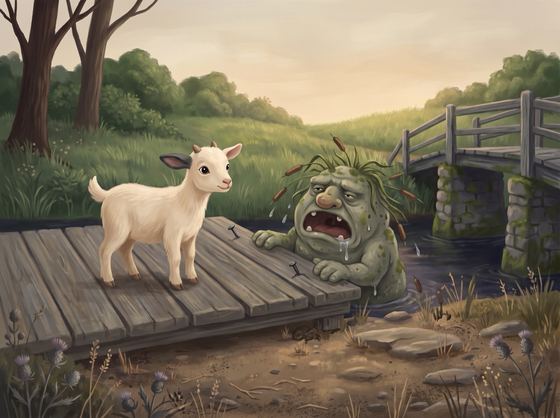
- Pick lines of a few words. In scene 4 of The Billy Goats and the Troll, the smallest goat says just “Only me,” and “I am very small.”
- Whisper the line to your child.
- Press record and let them say it back, however it comes out. If it isn’t word for word, it’s theirs.
- Play their line straight back. Hearing themselves is the best part.
Here is one scene, marked up. Your child’s lines are highlighted. That makes five pieces: you, your child, you, your child, you.
In Nanuli the scene is split exactly like that, and the app shows whose turn it is. If your child isn’t in the mood for a line tonight, skip it, read it yourself and carry on. For smaller first steps, see how to make bedtime stories interactive.
Fix a mistake without starting over
With one long take, stop, count to three and read the sentence again from its start. Trim the slip out later, or leave it in: it’s your voice, slips and all.
With a story app that records in pieces, you only redo the piece that went wrong. In Nanuli, tap any piece at the end of a scene to hear it, then record just that one again. The rest stays as it was.
Play it back at bedtime
Play the finished recording once together, then leave it where your child can find it. Children ask for the same story again and again, and now it can be the one with their own voice in it.
In Nanuli a finished story waits on the shelf. The pictures move to your voices, it plays without internet, and your child can press play without you. You can also save it as a video or an audio file and send it to a grandparent. Going away for a few nights? Record before you leave: see bedtime stories when you’re away.